Power
Robot batteries and runtime: Wh, voltage and what drains a battery
Why do we list battery capacity in watt-hours, and why does real runtime vary so much? A practical guide to robot batteries, battery management systems, charging and battery health on used robots.
Mobile robots carry their energy with them. How much they can store, and how fast they use it, decides how long they work, how heavy they are and how they are shipped.
Why watt-hours
Manufacturers often quote capacity in milliamp-hours (mAh) at a given voltage. Energy, the thing that decides runtime, is capacity multiplied by voltage, expressed in watt-hours (Wh). A pack of 15,000 mAh at 21.6 V holds about 324 Wh. That is why DroidBazaar stores battery capacity in Wh: it lets you compare robots with different voltages fairly. When a source only gives mAh and voltage, we do not compute a value ourselves; we leave the field empty and keep the source's figures in the notes.
Why runtime varies so much
Published runtimes are measured in specific conditions. Real runtime depends on:
- What the robot is doing: walking uphill, carrying a payload or running AI on the onboard computer draws much more power than standing still.
- Temperature: cold batteries deliver less energy.
- Battery age: capacity fades with charge cycles and time.
Always read the notes next to a runtime value, for example "with standard battery" or "no load".
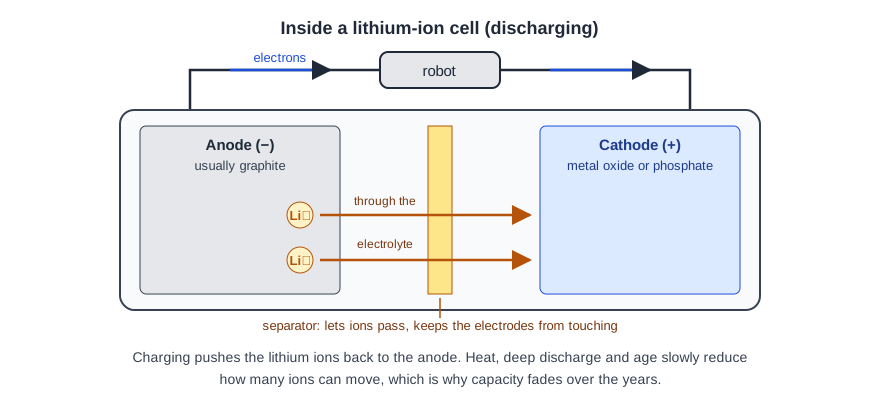
Inside a pack
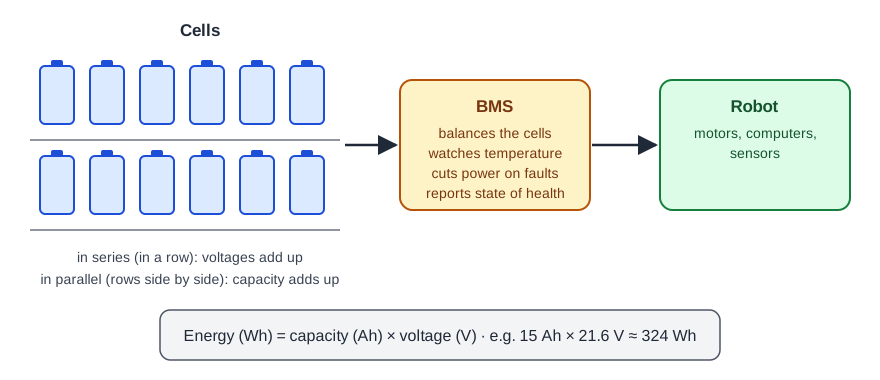
A robot battery pack contains many lithium-ion cells connected in series (for voltage) and parallel (for capacity), plus a battery management system (BMS) that balances the cells, measures their temperature and cuts the power if something goes wrong. Swappable packs let a robot keep working while another pack charges.
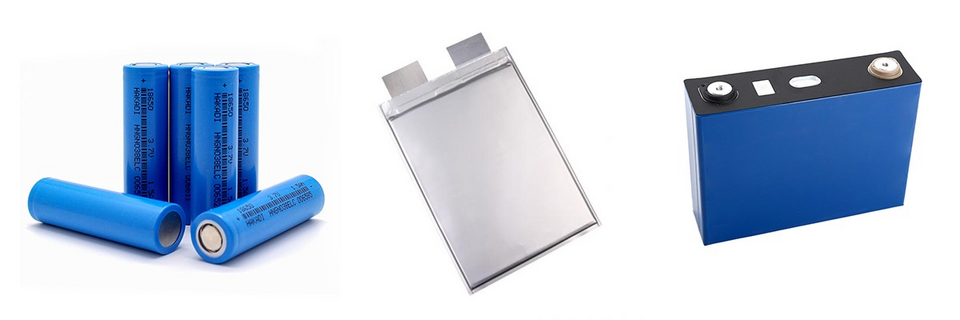
Charging and docking
Many service robots return to a dock by themselves. Charging time depends on the charger power and the pack size; chargers slow down as the pack gets close to full to protect the cells, so the last part of a charge takes longest.
Buying used: check battery health
Battery wear is one of the biggest hidden costs of a used robot. Ask the seller for the battery health or cycle count shown by the robot's app, and check the price of a replacement battery before you buy. See how to buy a used robot.
Lithium-ion packs above certain energy limits need special handling for shipping by air. Check with the carrier before sending a robot or a spare battery.